
How to Book Online & Pay Your Deposit
Booking takes about 3 minutes. Follow the pictures below. Your appointment is locked in the moment your $25 deposit goes through.
Before you start, have these ready
- A debit or credit card for the $25 deposit.
- Your mobile number or email, so we can send your confirmation.
- About 3–5 minutes. Please finish in one go: your time is only held for 15 minutes once you reach the payment step.
Choose your service
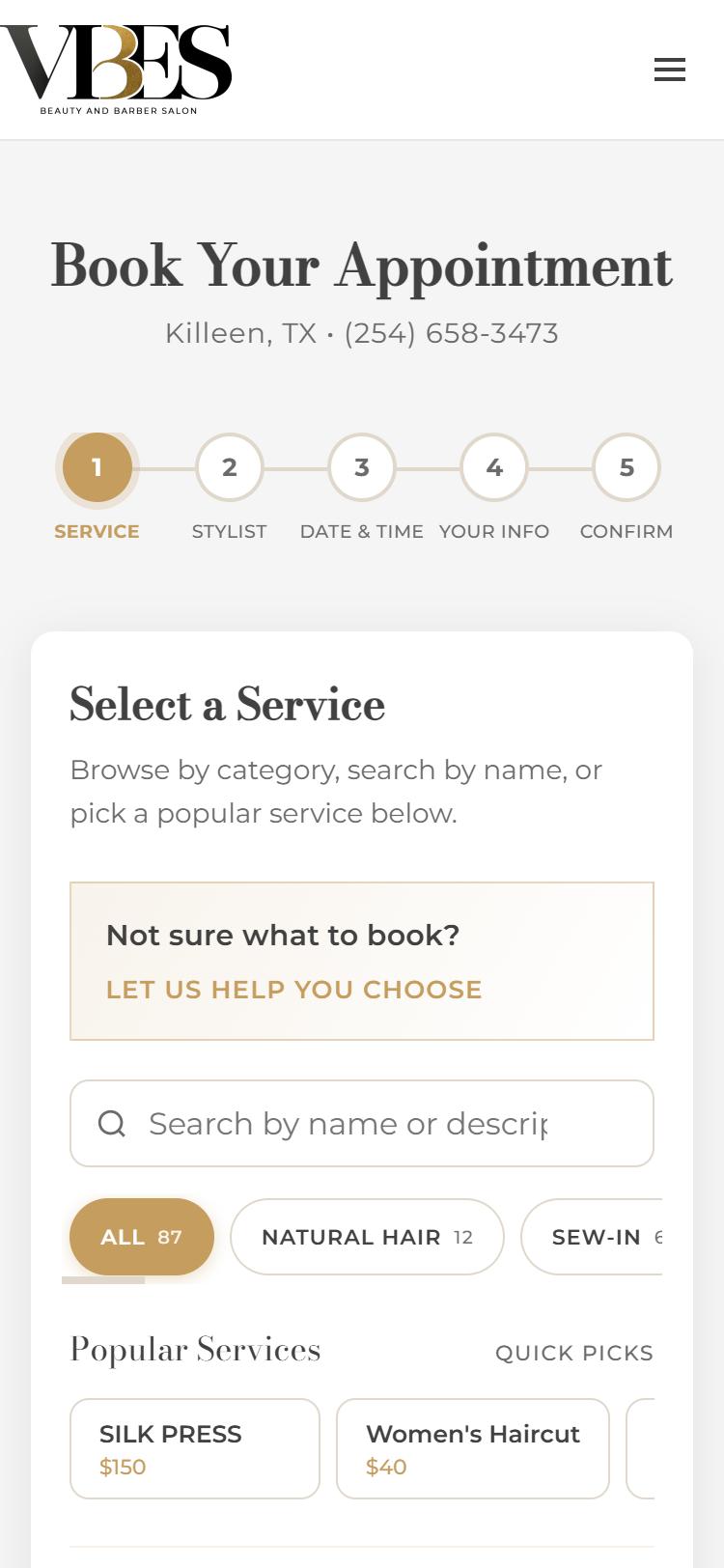
Go to vibes-salon.com/book. You’ll see five steps across the top: Service, Stylist, Date & Time, Your Info, Confirm.
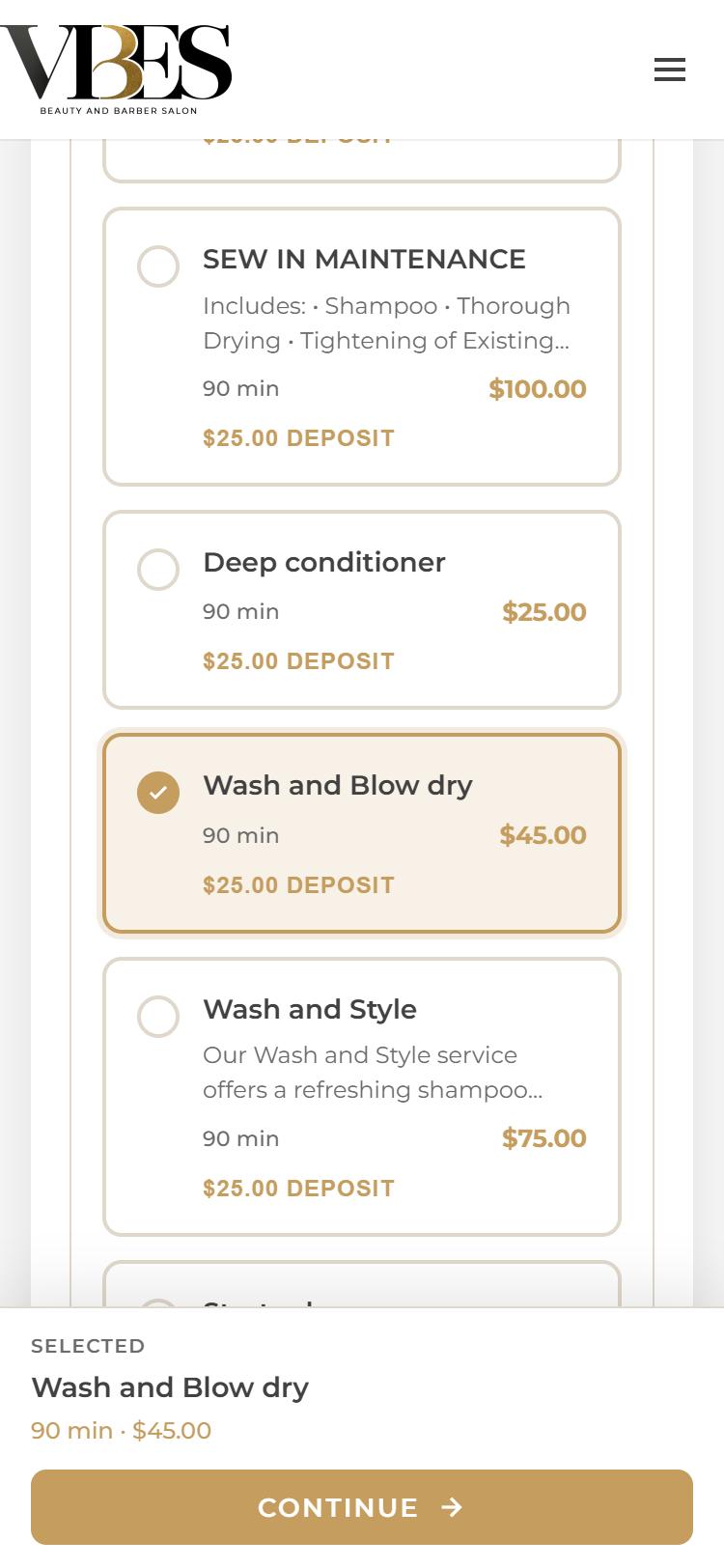
- Find your service by searching, tapping a category (Natural Hair, Sew-In, Braids…), or picking from Popular Services.
- Each service shows its length, price and the $25.00 deposit.
- Tap the service so it gets a gold check mark, then tap Continue at the bottom.
Not sure what to book? Tap Let us help you choose and answer a few quick questions.
Pick a stylist
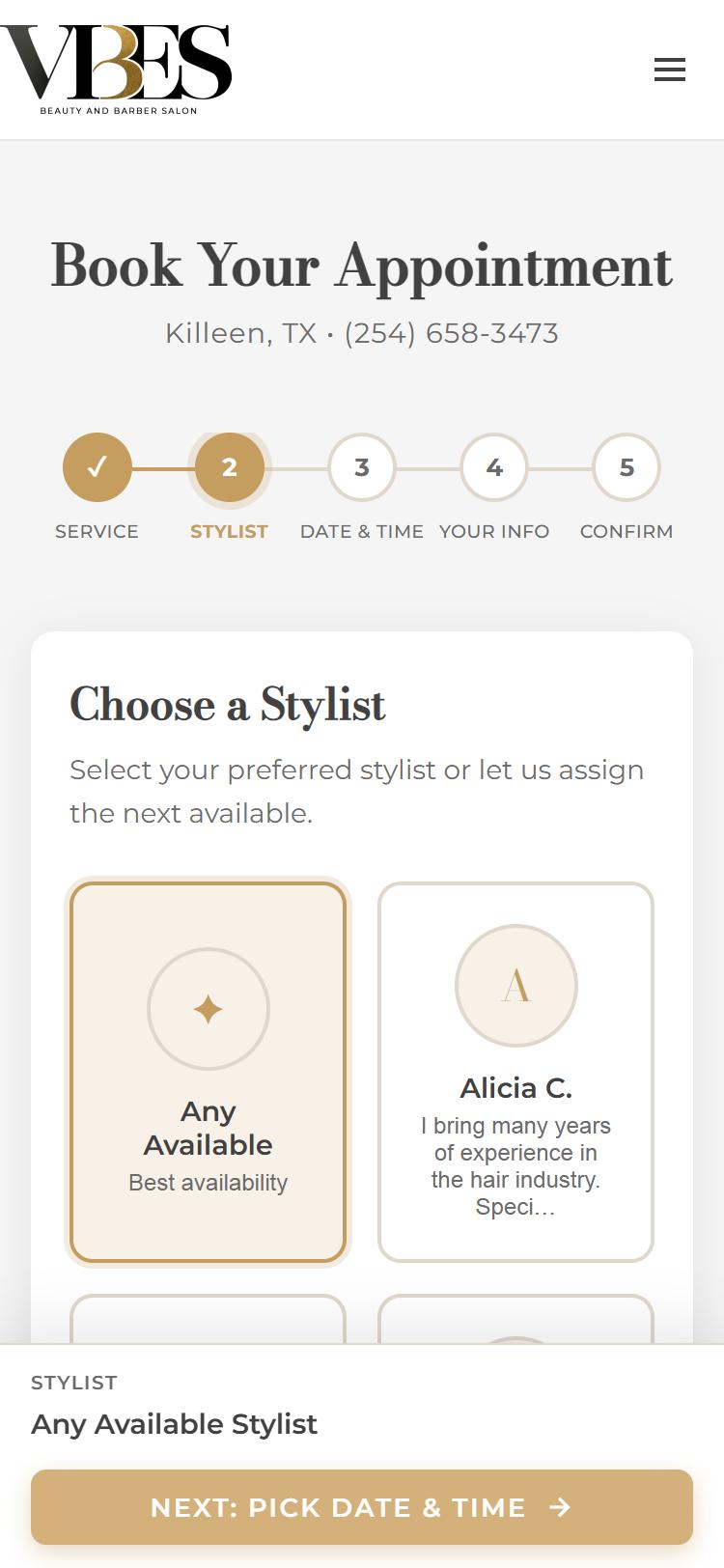
Choose the stylist you’d like, or let us match you.
- Any Available shows the most open times. We’ll assign whoever is free.
- Tap a stylist’s name if you want someone specific. You’ll only see that stylist’s times.
Then tap Next: Pick date & time.
Pick a date & time
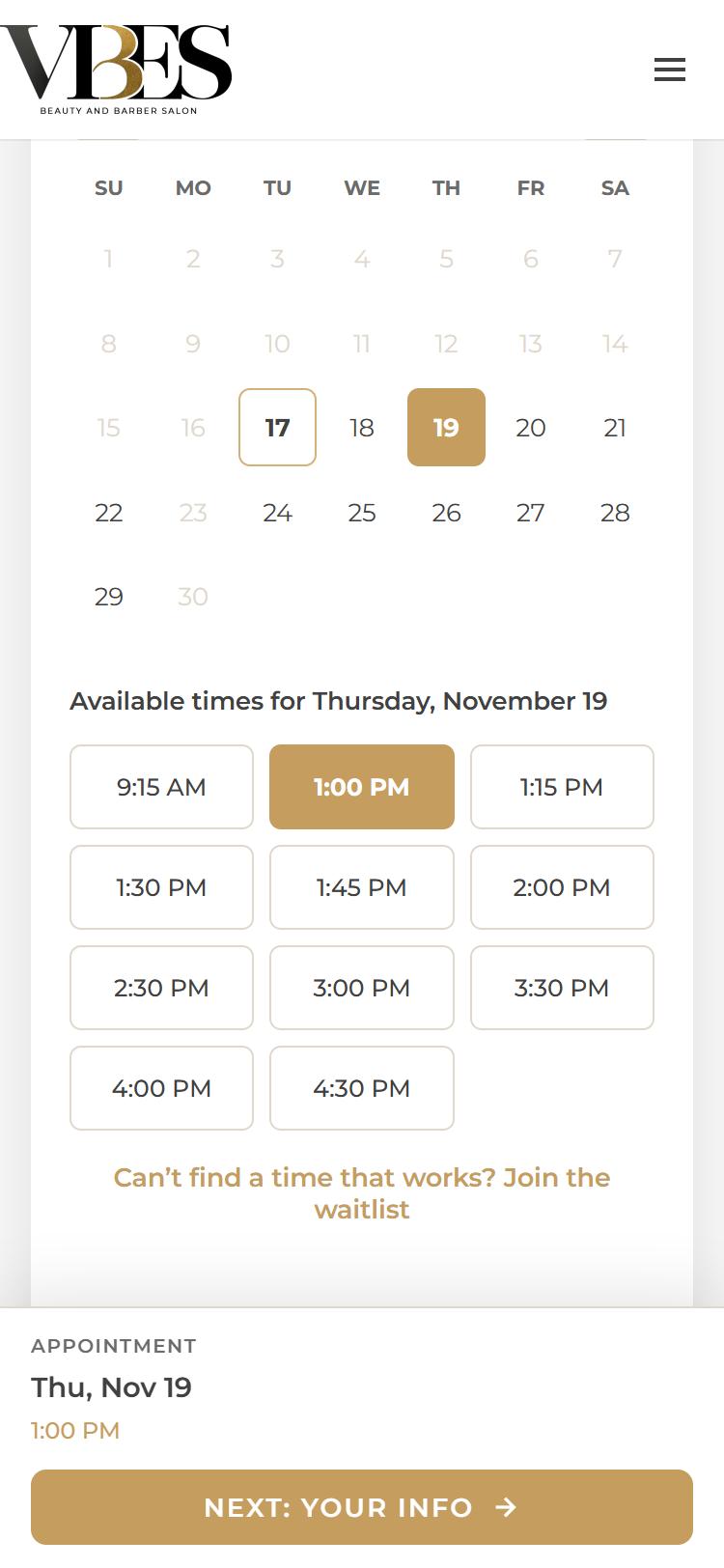
- Tap a date on the calendar. Faded dates are closed or fully booked.
- The open times for that day appear below. Tap one and it turns gold.
- Tap Next: Your info.
No time that works? Try another day, switch to Any Available, or tap Join the waitlist and we’ll let you know if a spot opens up.
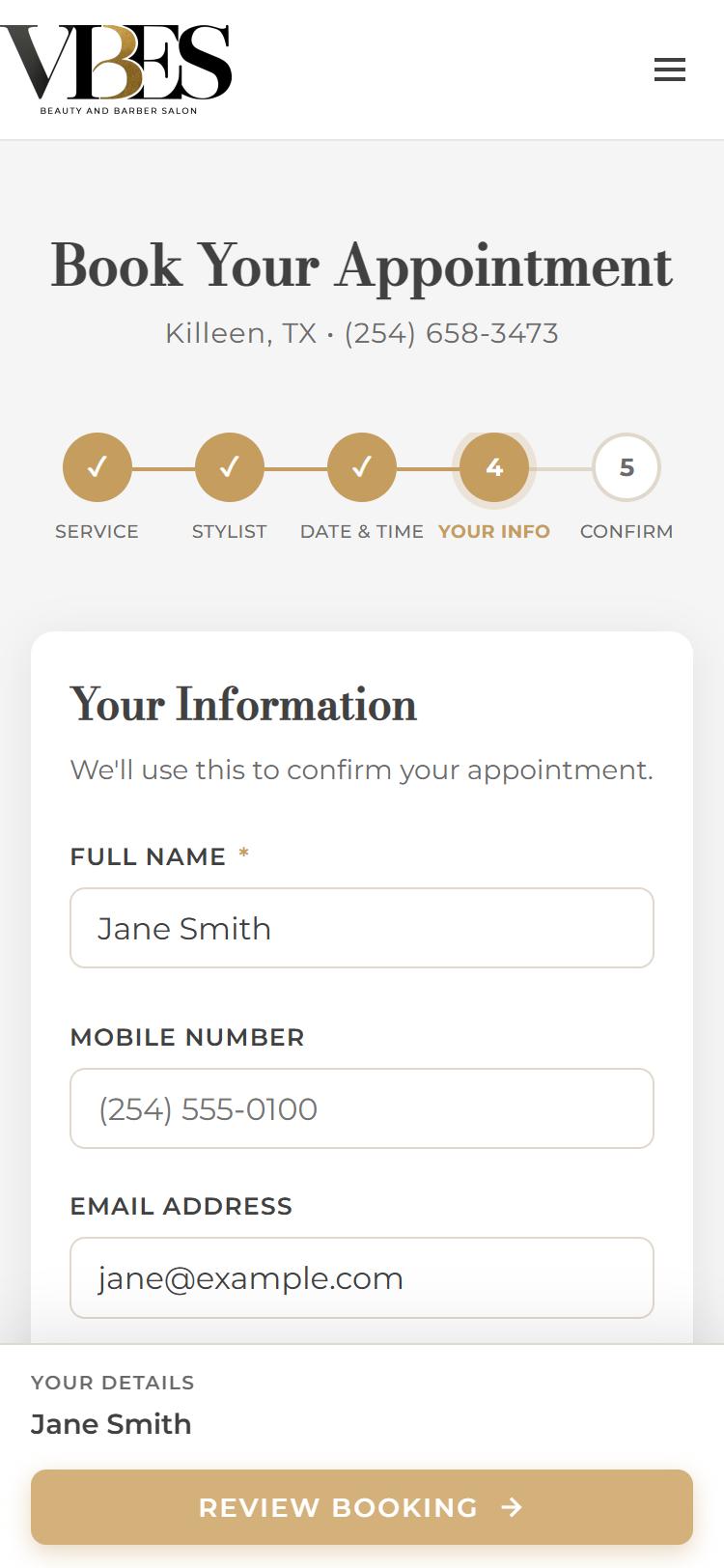
Enter your information
- Type your full name (required).
- Add your mobile number and/or email. At least one is needed so we can confirm your appointment.
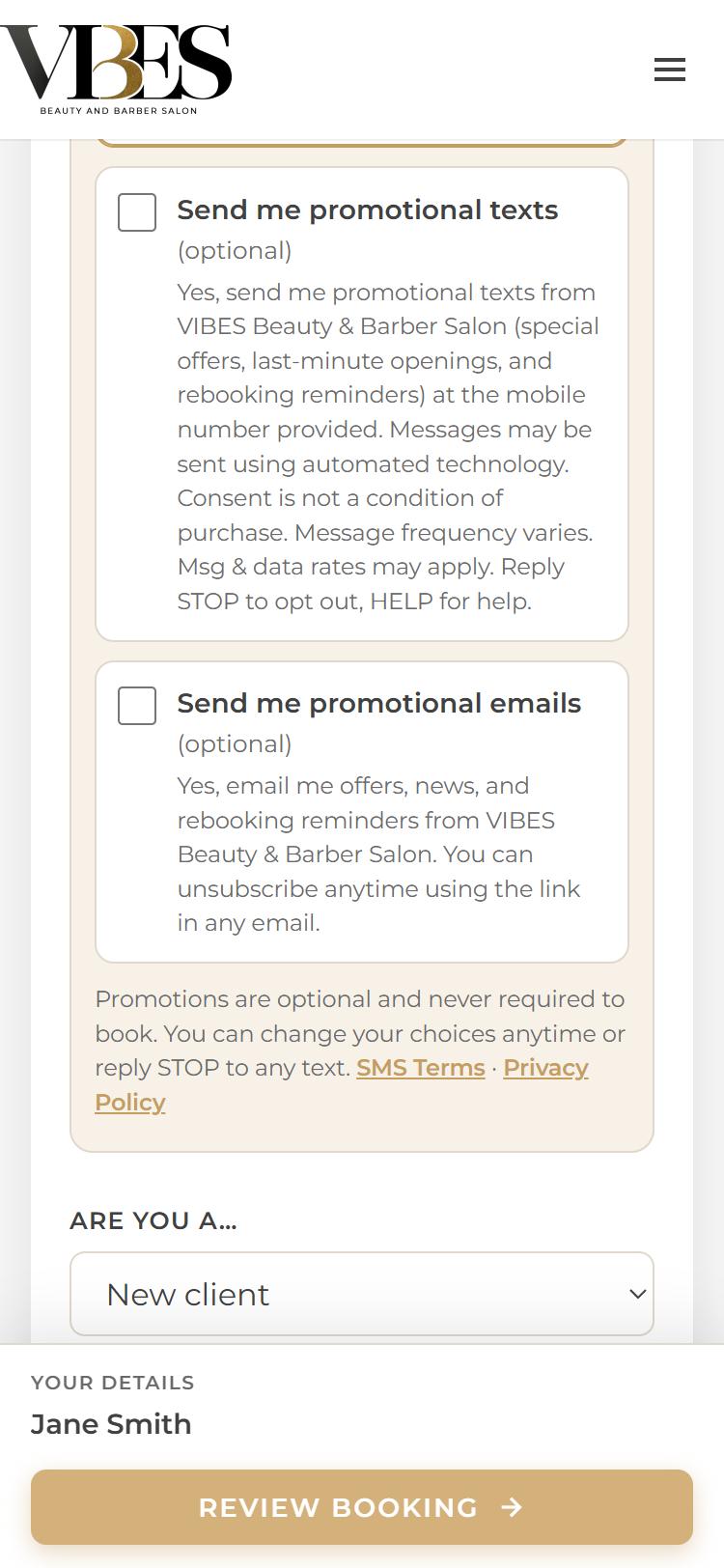
- Under Stay in touch, choose how we can reach you:
- Appointment texts: confirmations and reminders about this booking.
- Promotional texts and emails are optional and never required to book.
- Let us know if you’re a new or returning client, then tap Review booking.
Review, agree & sign
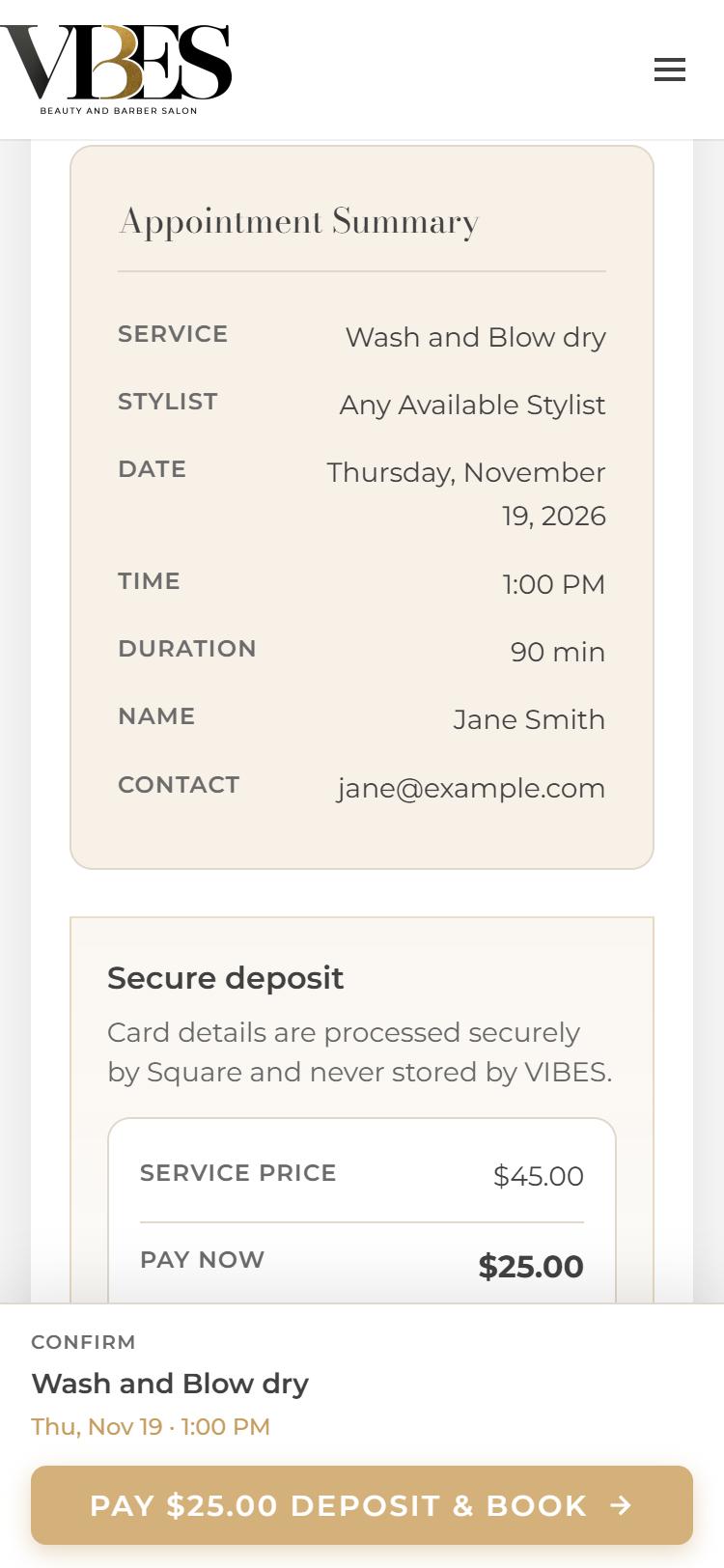
Check that your appointment summary is right: service, stylist, date, time, name and contact. Tap Back to change anything.
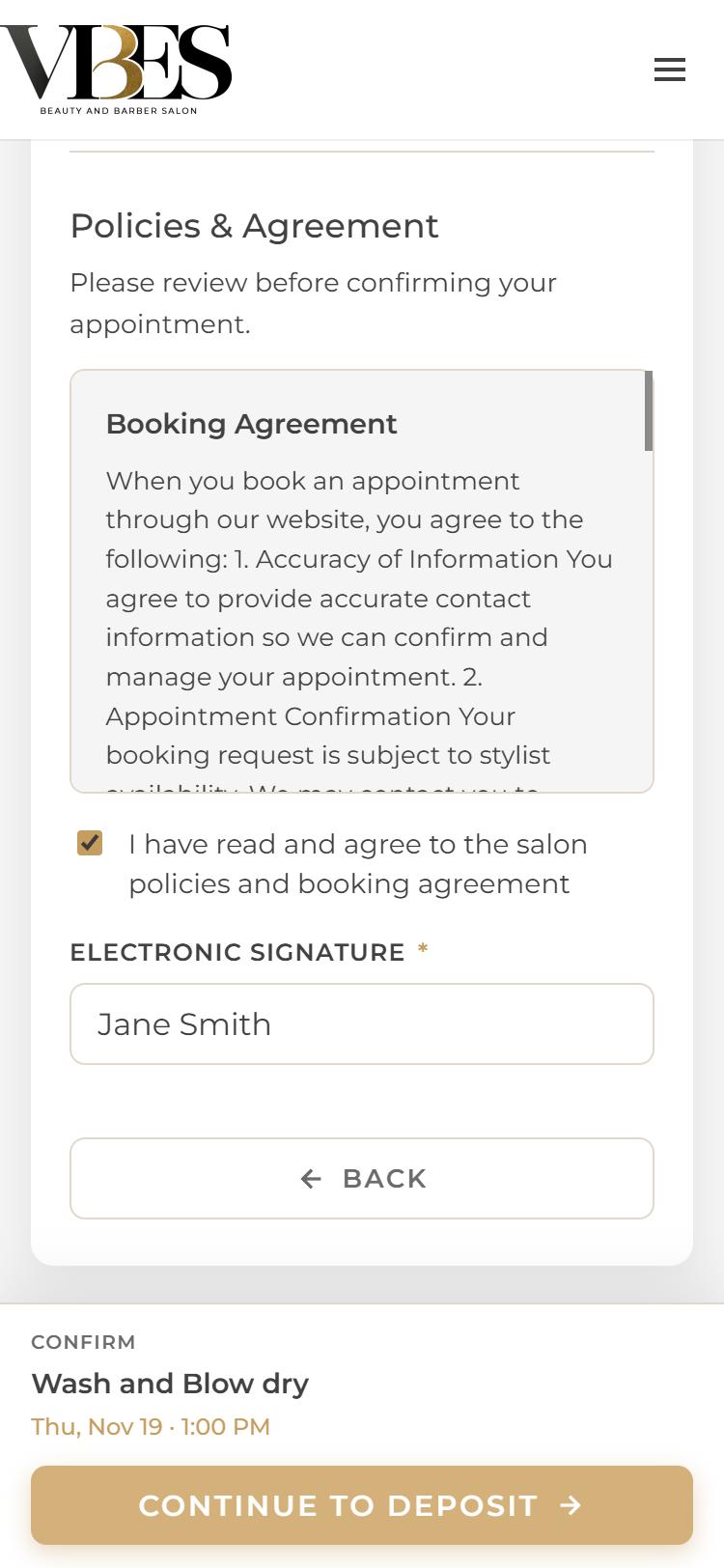
Scroll down to Policies & Agreement:
- Read the booking agreement and salon policies.
- Tick “I have read and agree…”
- Type your full name in Electronic Signature.
The gold Continue to deposit button turns on once both are done.
Heads up: tapping Continue to deposit holds your time for 15 minutes while you pay. It isn’t booked yet.
Pay your $25 deposit
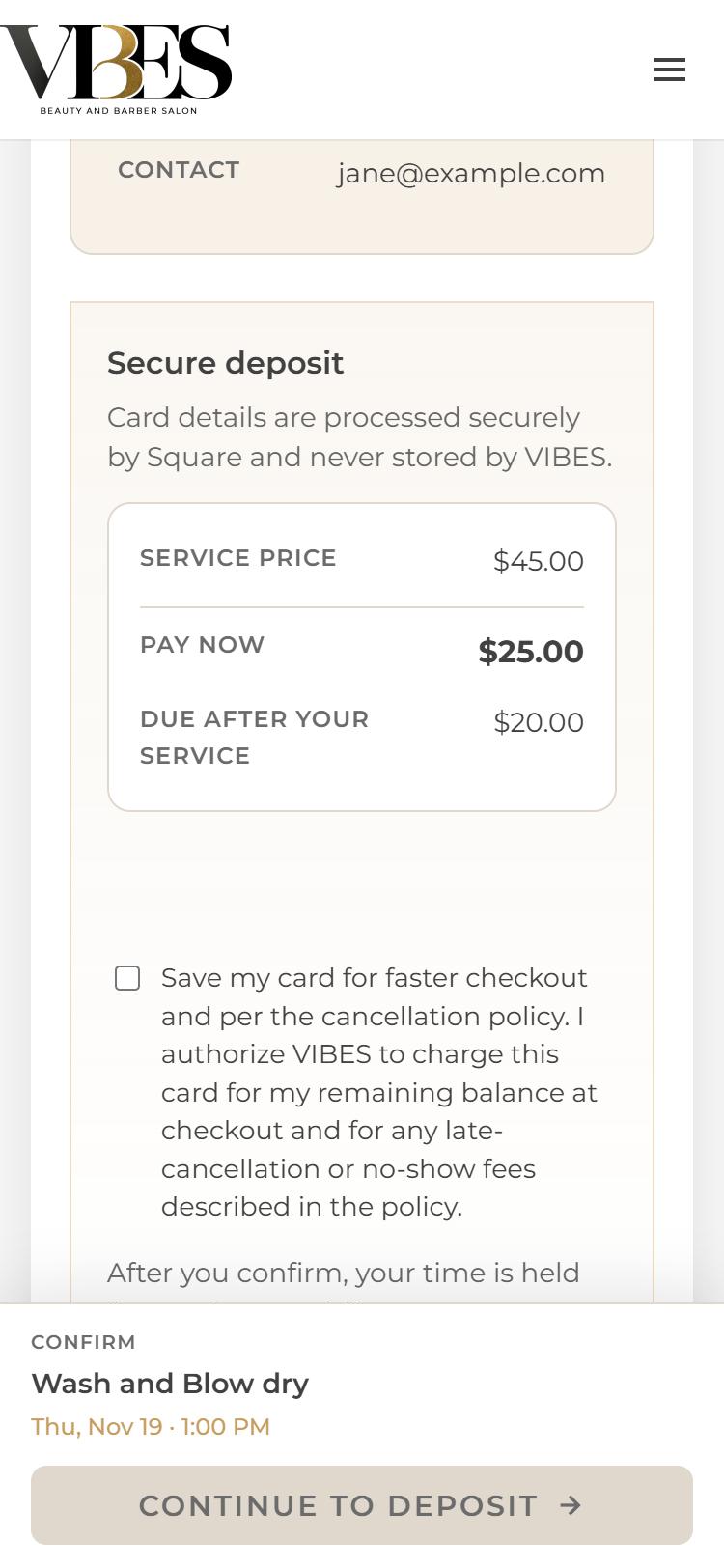
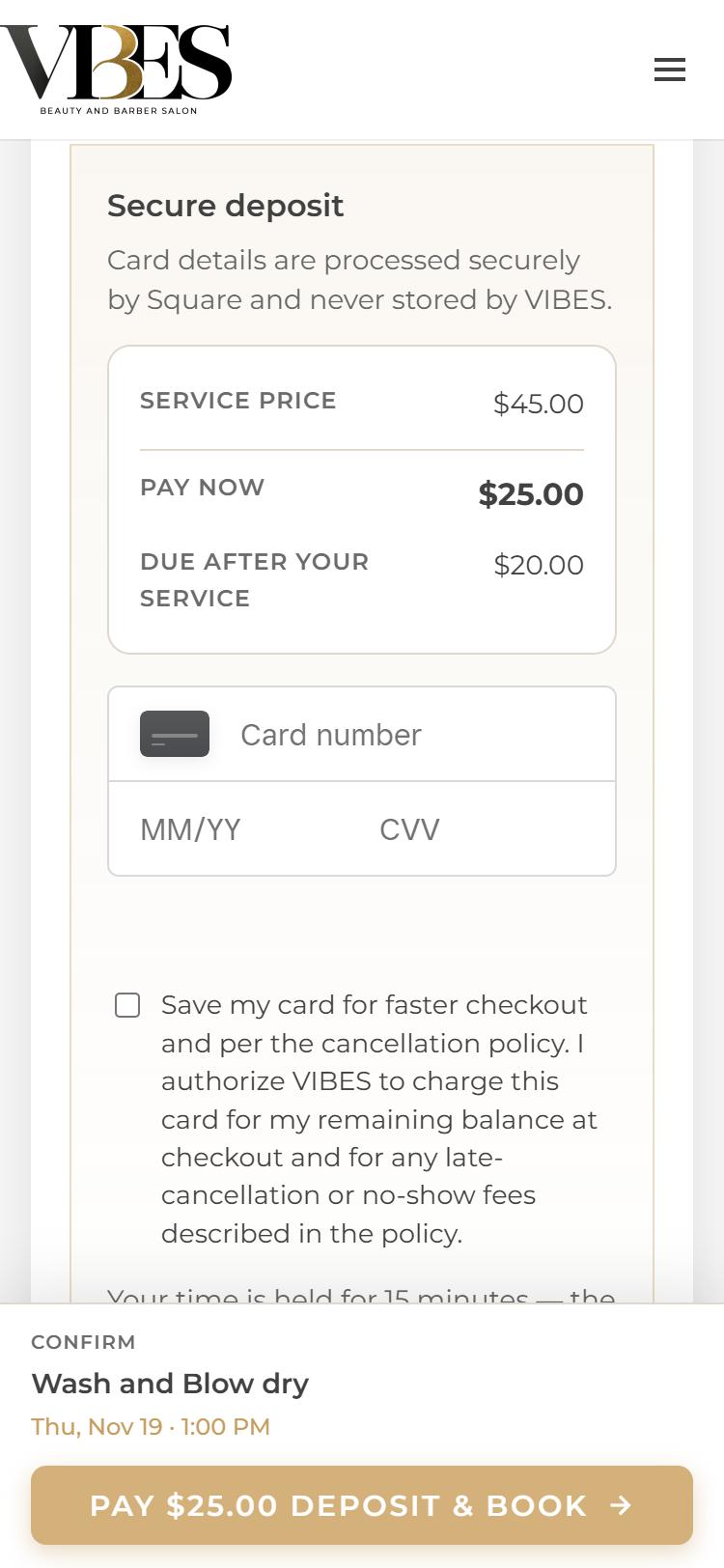
The Secure deposit box shows exactly what you pay today and what’s left for your visit. For example:
| Service price | $45.00 |
| Pay now (deposit) | $25.00 |
| Due after your service | $20.00 |
- Enter your card number, expiry (MM/YY) and CVV in the card box.
- Optional: tick Save my card for faster checkout at your visit. This also lets the salon charge your remaining balance and any late-cancellation or no-show fee described in the policy.
- Have a promo or gift code? Enter it and tap Apply.
- Tap Pay $25.00 deposit & book and wait a few seconds. Don’t close the page.
Your card is safe. Card details go straight to Square, our payment processor. VIBES never sees or stores your card number.
You’re all set!
Once your payment goes through, you’ll land on a “You’re All Set!” page. That means your appointment is confirmed.
- It shows your service, stylist, date and time, the deposit paid, and the balance due at your visit (plus any add-ons and gratuity).
- A confirmation is sent to your email.
- Tap Add to Google Calendar so you don’t forget.
- Need to change plans? Use the Manage or reschedule online link on that page or in your email, or call us.
Didn’t finish paying?
If the deposit isn’t completed within 15 minutes, the time is released and no appointment is booked. You are not charged. Your page will say “Reservation Expired.” We’ll email you a Finish my booking link with your choices saved, or you can start again or call us. You may still get an “Appointment request received” email from when you started. That’s normal, and it isn’t a booking.
Deposit & cancellation policy (short version)
- A $25 deposit (never more than the service price) is required to book online. It’s applied to your service total, not an extra charge.
- Cancel or reschedule at least 24 hours before your appointment to get your deposit back.
- The deposit is non-refundable for late cancellations and no-shows.
- Running late? Call (254) 658-3473. Arriving more than 15 minutes late may mean rescheduling or a shorter service.
Full details: Salon Policies · Booking Agreement
Common questions
Is my appointment booked after I tap “Continue to deposit”?
Not yet. That step only holds your time for 15 minutes. Your appointment is booked once the $25 deposit goes through and you see “You’re All Set!”.
I got an email but never paid. Am I booked?
No. The “Appointment request received” email is sent when you reach the payment step. If you didn’t finish paying, the time was released after 15 minutes and you were not charged. We’ll email you a Finish my booking link that brings back everything you picked, or you can just book again.
My card was declined. What should I do?
Double-check the card number, expiry date and CVV, then tap Pay again. If it still fails, try another card or call your bank. If your 15 minutes run out, you’ll be asked to choose a time again. Nothing is charged for a failed payment.
Is the deposit extra, or part of my price?
It’s part of your price. The deposit comes off your service total, and the rest is paid at your visit.
Can I pay without a card?
Online booking needs a debit or credit card for the deposit. If you can’t pay online, call us at (254) 658-3473 and we’ll help you book.
I don’t see any times on the day I want.
That day is fully booked or closed for that service. Try Any Available for more options, pick another date, or tap Join the waitlist.
How do I reschedule or cancel?
Use the Manage or reschedule online link in your confirmation email or on the confirmation page, or call us. Please give at least 24 hours’ notice to keep your deposit.
I didn’t get a confirmation email.
Check your spam or promotions folder. If it’s not there, call us and we’ll confirm your booking and check the email we have on file.